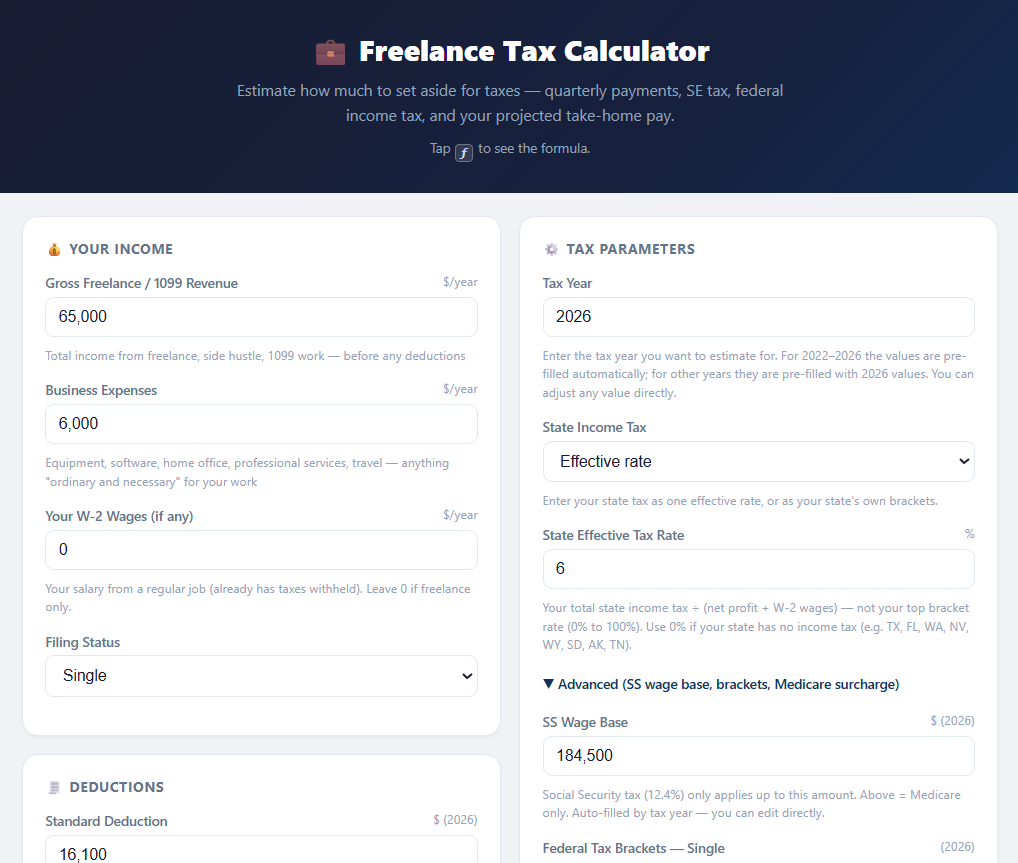
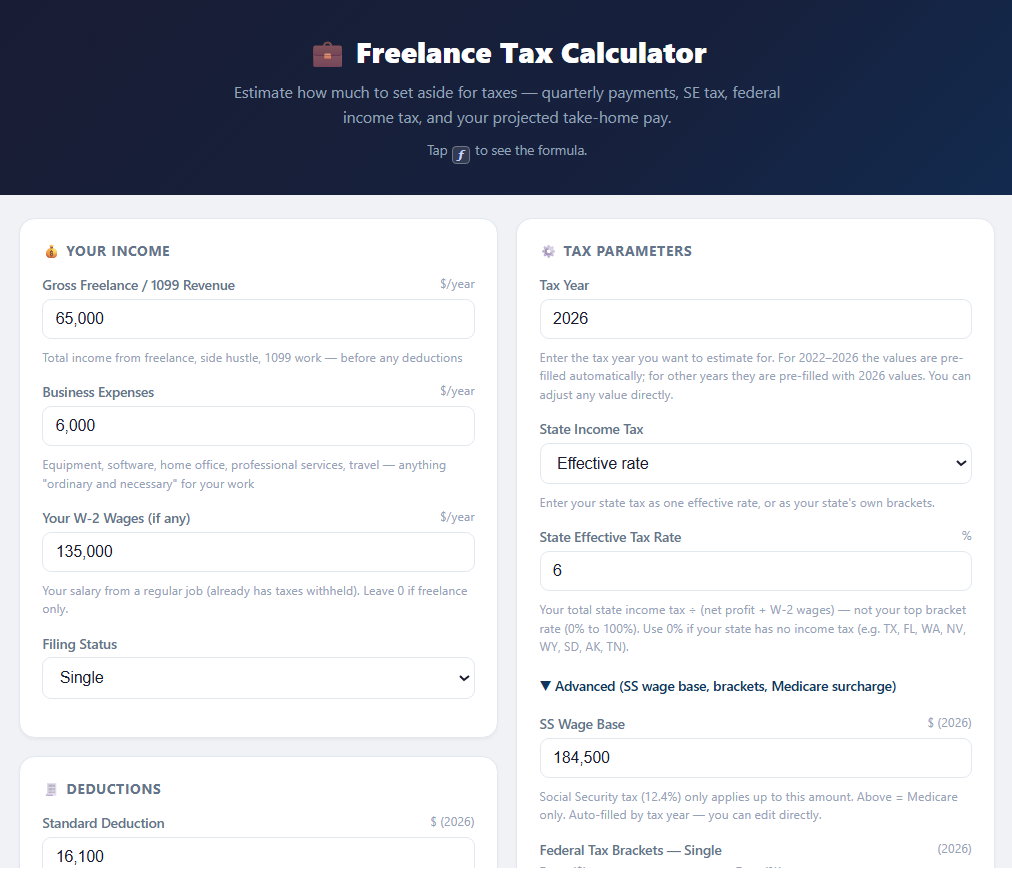
Estimate how much to set aside for taxes — SE tax, quarterly payments, federal income tax, and your projected take-home pay. Supports W-2 + freelance combined income. One purchase gets you both: the web app and the same calculator as an Excel file you keep.
🔒 Secure checkout via Gumroad · Card or PayPal · Instant download
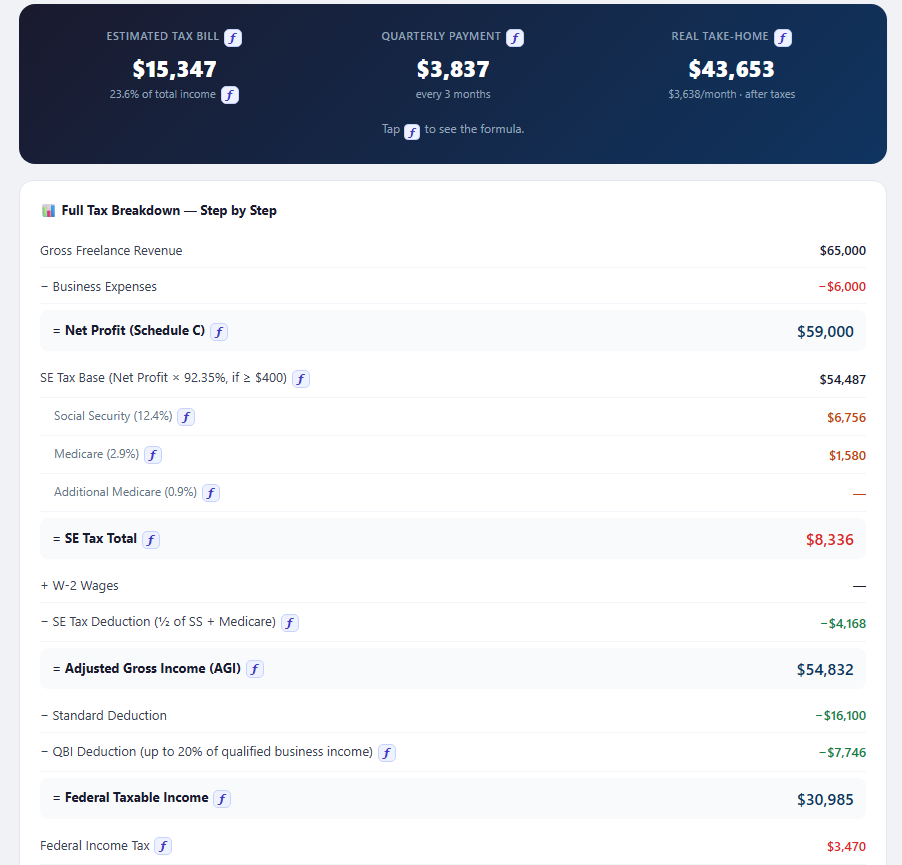
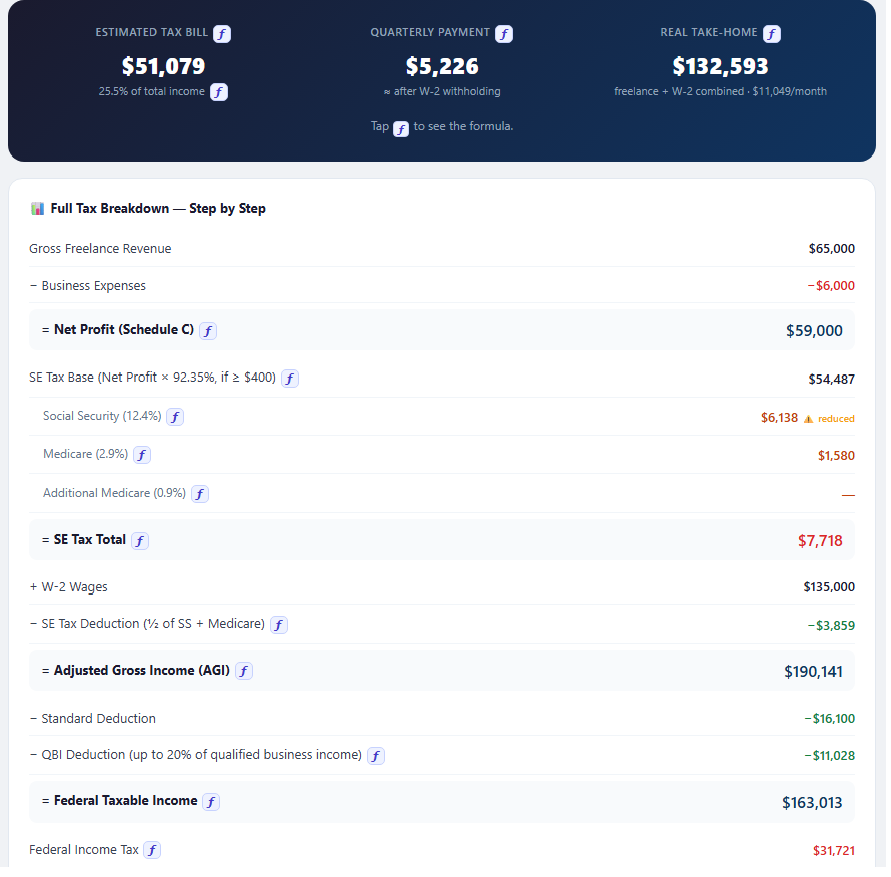
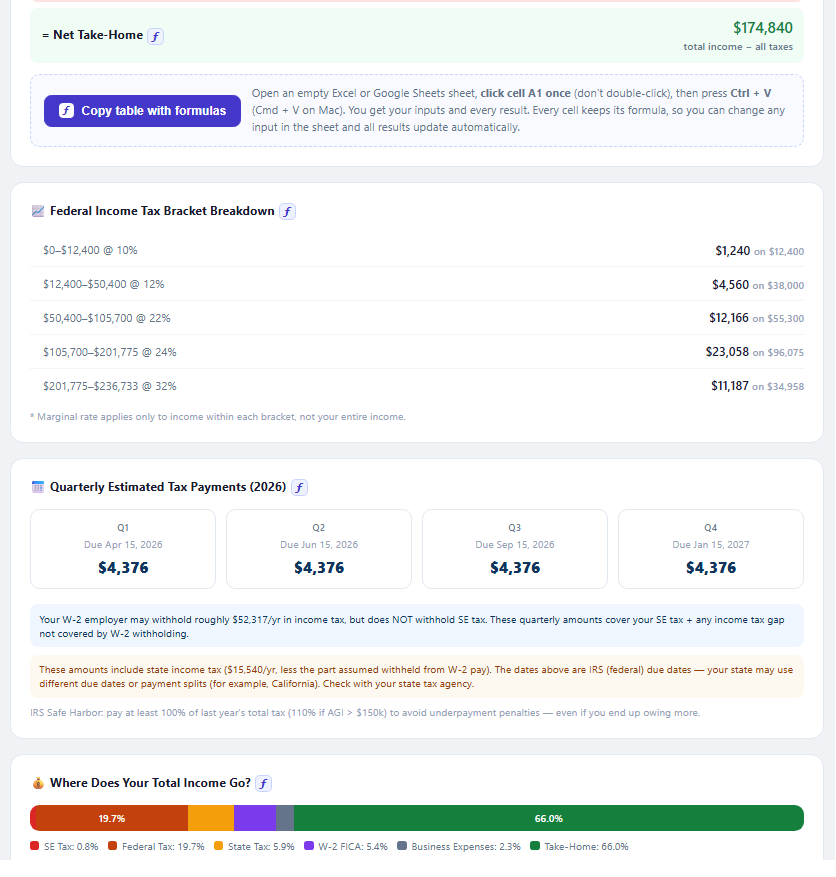
Sample result — $65K freelance, $6K expenses, 6% state, single
Tap ƒ to see the formula.
📊Also included: the Excel workbook — the same inputs and these results, the full tax breakdown, charts and a revenue analysis, all as live formulas. Change a blue cell and everything recalculates.
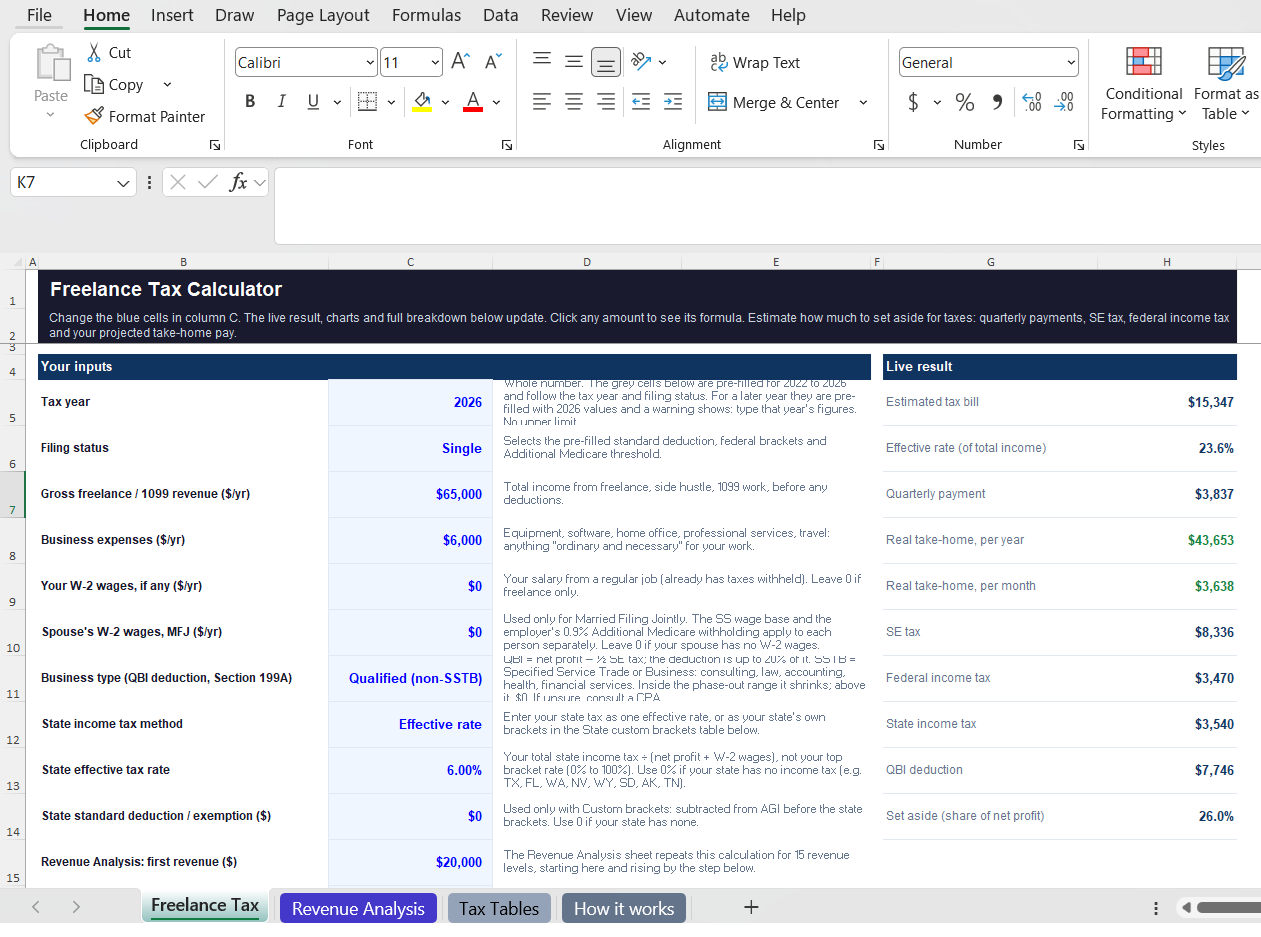
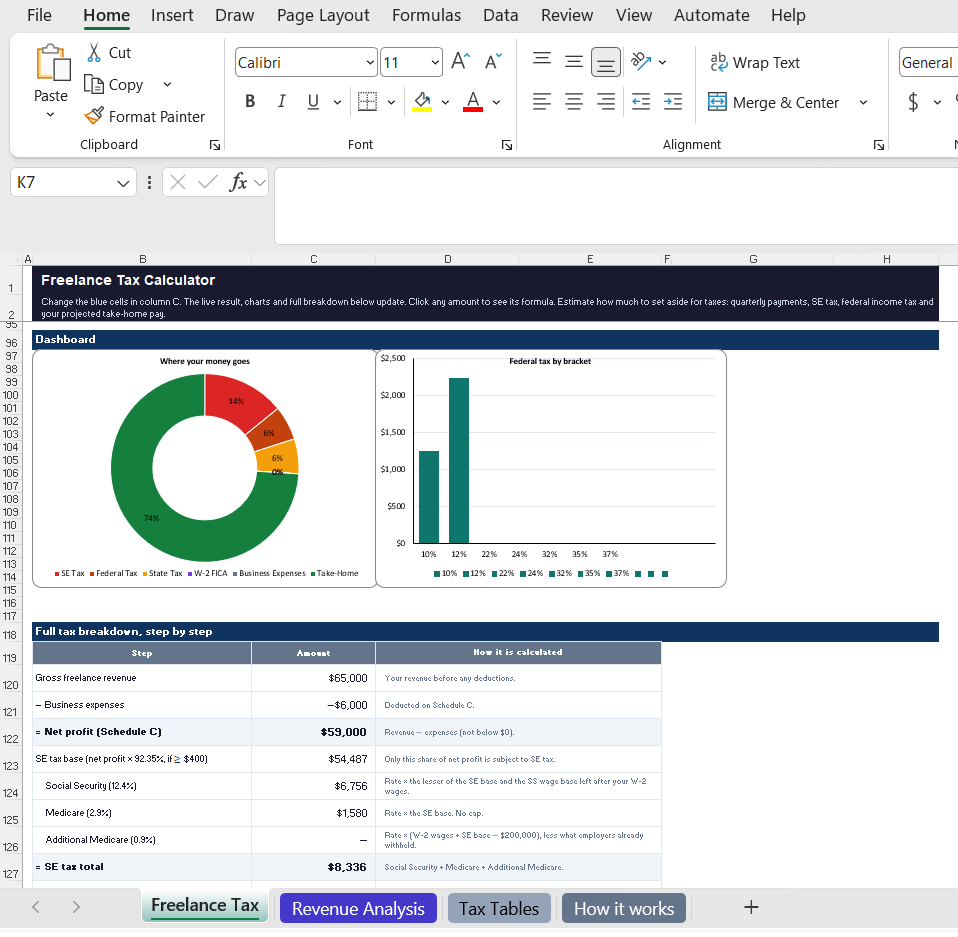
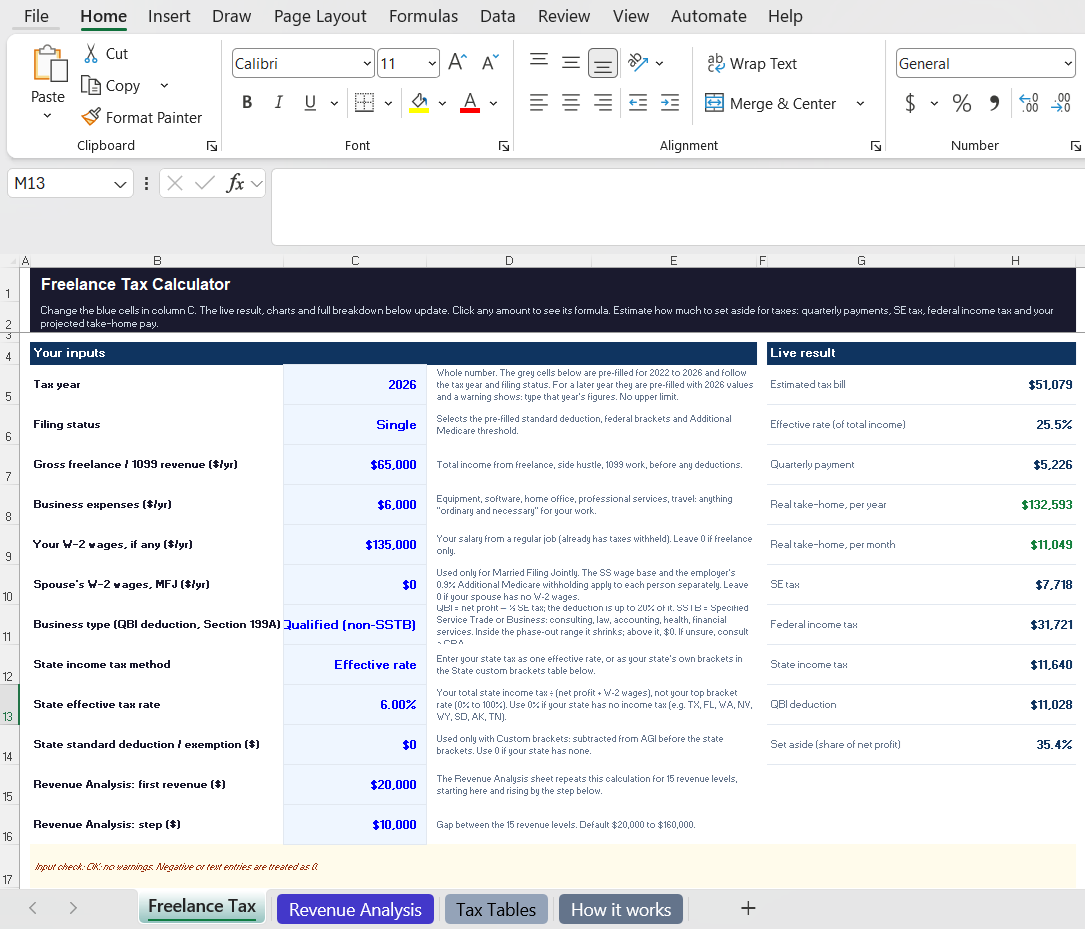
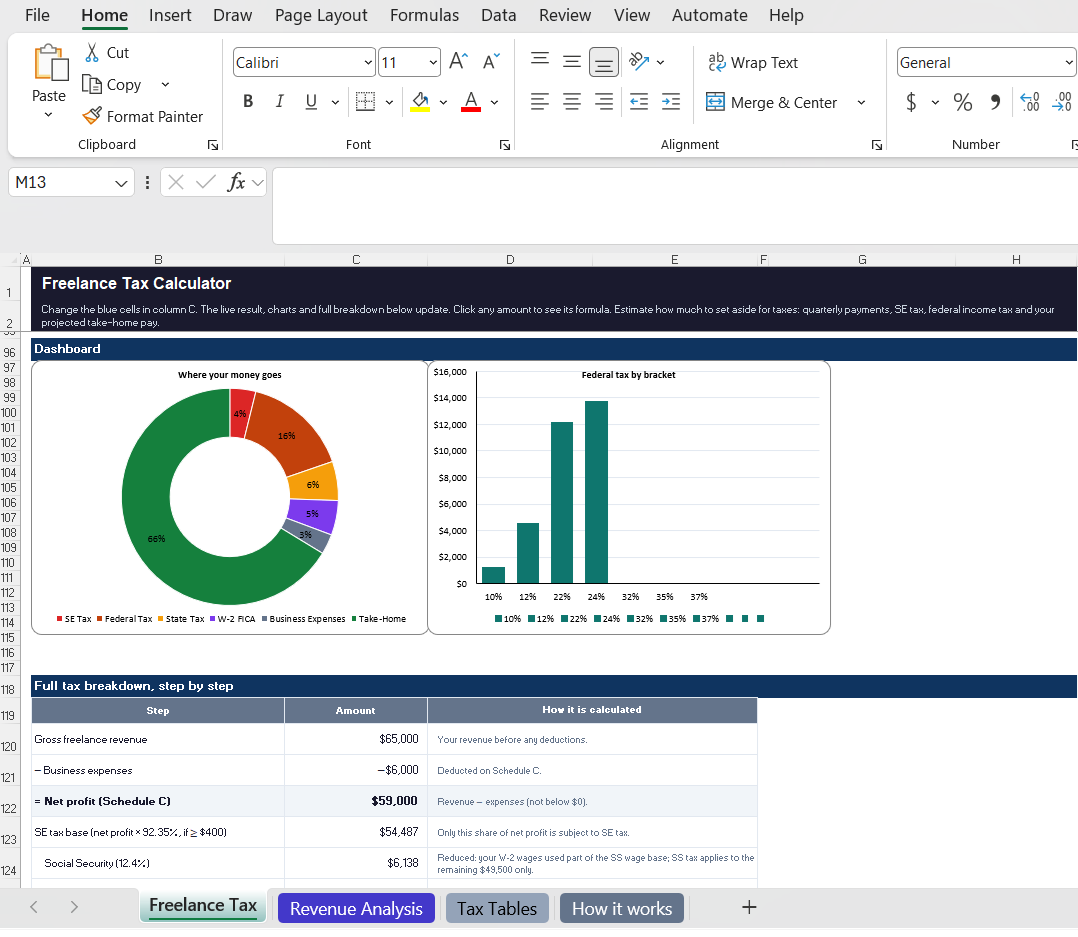
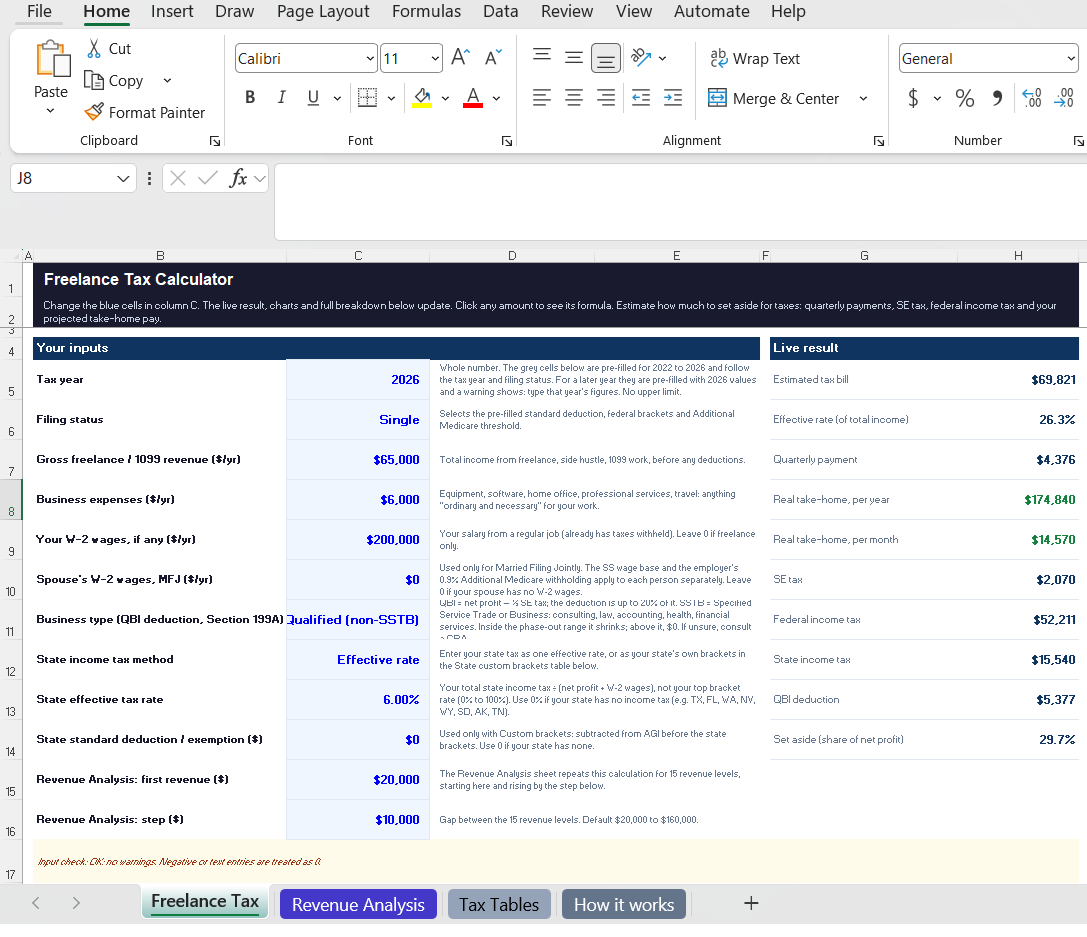
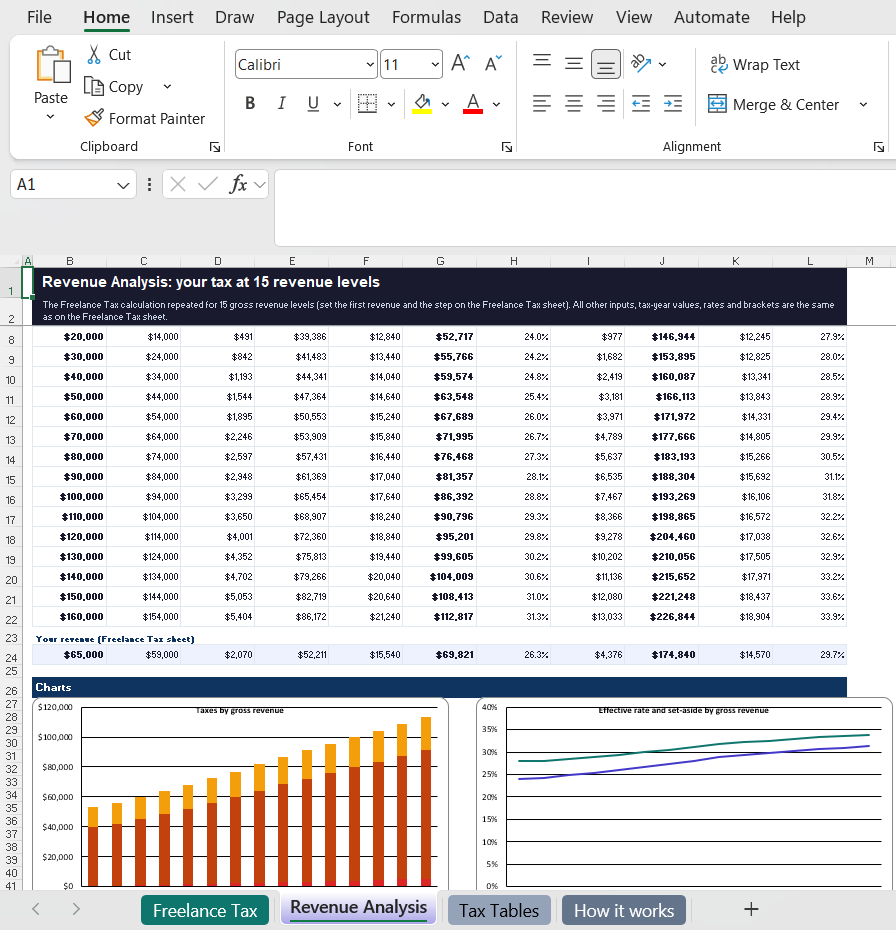
…and more: quarterly payments with due dates, spouse's W-2 wages for joint filers, state brackets, editable tax tables, plus a built-in "How it works" guide.
Tap a picture to see it full size.
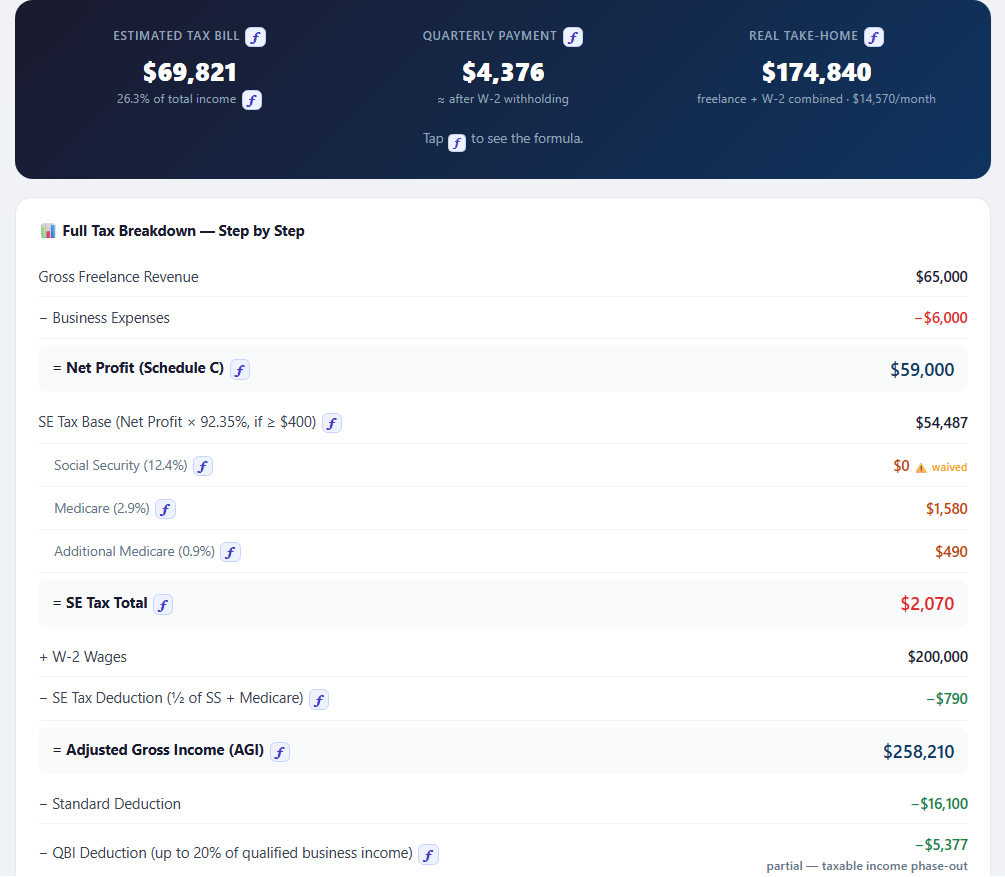
SE tax, quarterly payments, and estimated take-home — all in one place, in both the web app and the Excel workbook.
SE tax + federal + state income tax — your total estimated liability in one clear number.
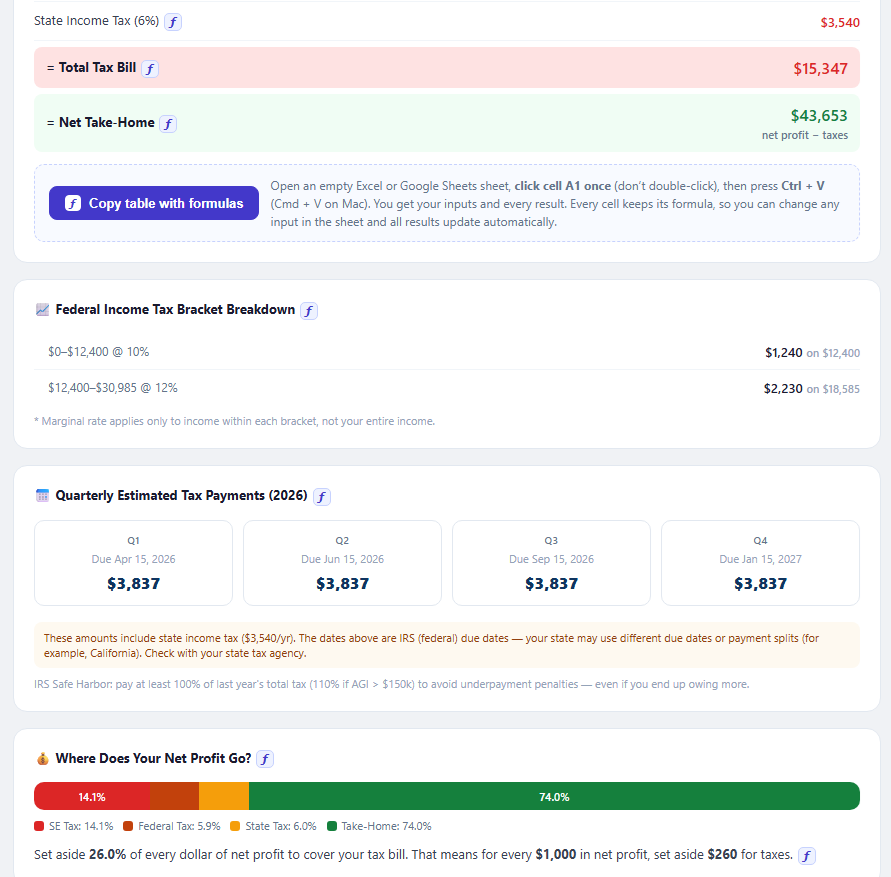
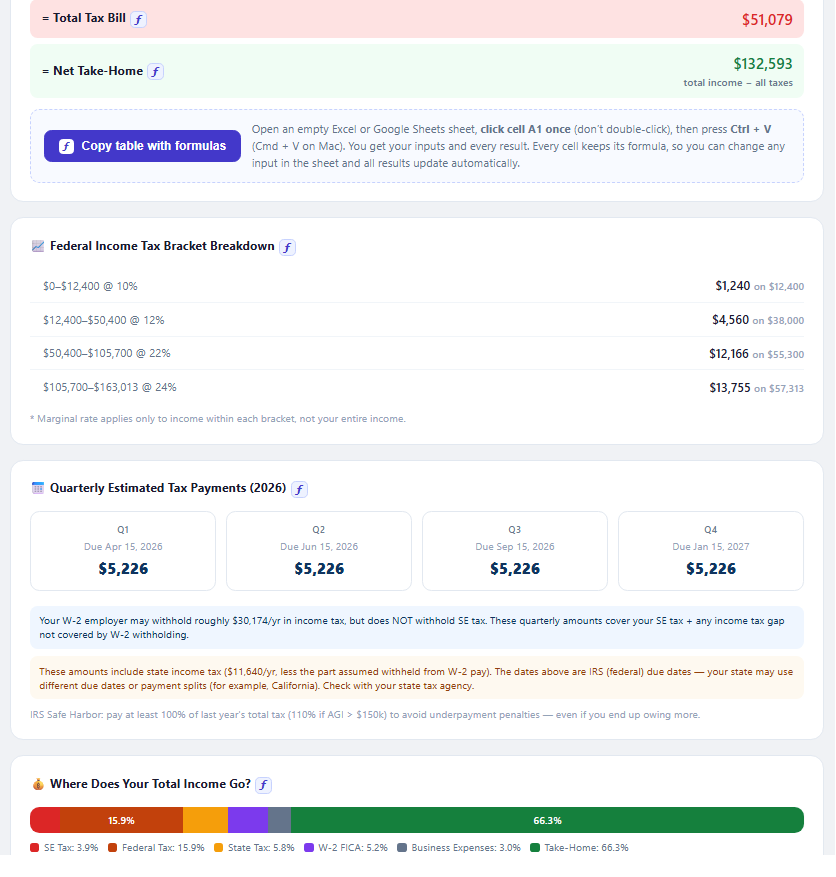
Q1–Q4 estimated amounts and due dates, with a safe harbor note to help you plan for potential underpayment penalties.
Step-by-step: SE tax → AGI → taxable income → total bill. See how each part of your estimated tax bill is calculated.
Freelance + W-2 combined net pay — monthly and yearly — so you can see your estimated take-home.
See where each dollar goes: SE tax, income tax, take-home — visualized as a percentage bar.
Expense tracking, home office, SEP-IRA, Solo 401(k) and quarterly deadlines — practical guidance on deductions and tax-saving options.
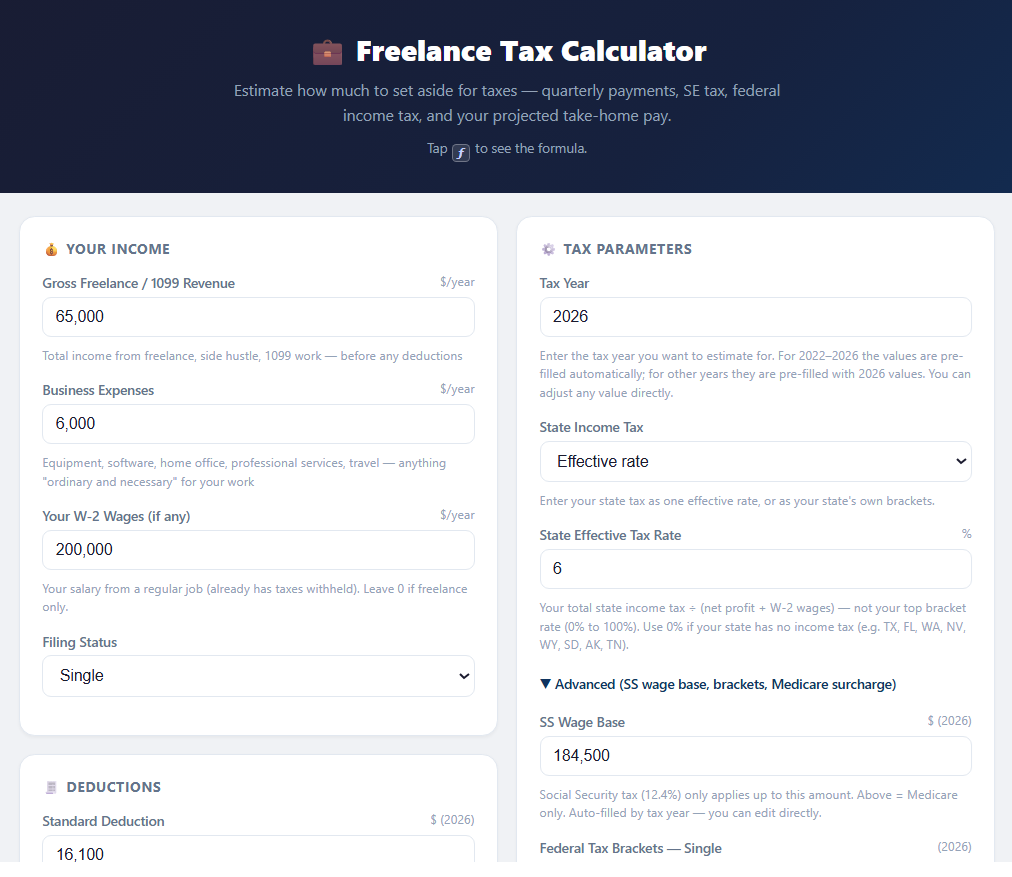
Adjust each input to your own situation — your income, expenses, state and tax year — and see how each scenario plays out. The same inputs are already laid out in both versions — nothing to set up.
Both versions start with typical values already filled in — type over any of them, and check how each result is worked out.
Tax year, federal brackets, standard deduction, state tax, Social Security wage base, QBI ranges — type over any starting value, including a new year's official figures.
Tap ƒ next to a result, a table column or a chart line to see how it's calculated, step by step.
Paste the full tax breakdown into Excel or Google Sheets as a live table that recalculates when you change an input.
Revenue, expenses, W-2 wages, state tax — and the pre-filled brackets and thresholds, including a new year's official figures.
Every result is a live formula, and each step of the breakdown explains how it is calculated right beside it.
Change or extend any formula. The "How it works" sheet explains each part and the assumptions behind it.
Buy once and use both versions as often as you like — run every scenario you need.
Open your link in any browser and start right away.
Install once on your phone or computer, then use it anywhere — even with no internet.
Keep each scenario separately — freelance only vs with your W-2 job, this year vs next.
Desktop & AndroidSend a scenario to your partner or advisor.
The .xlsx is yours to keep — open it any time, no internet needed.
Save a copy for each case — freelance only vs with your W-2 job, this year vs next — and compare them side by side.
Microsoft Excel, Google Sheets or LibreOffice.
🔒 No account, no subscription — your data stays on your device.
Enter your income and see your estimated tax bill, quarterly payments, and estimated take-home pay.
🔒 Secure checkout via Gumroad · Card or PayPal · Instant download
Need more than one? Get all 5 calculators for $39.99 →