
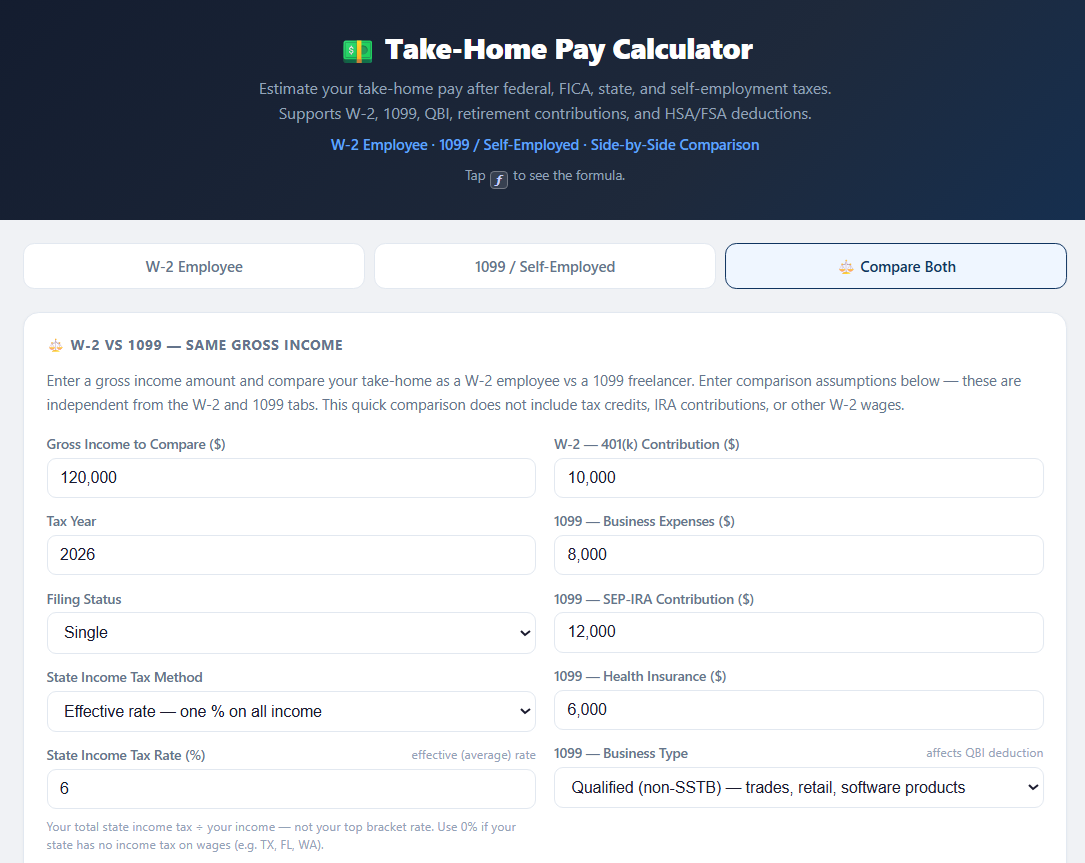
Estimate your take-home pay after federal, FICA, state, and self-employment taxes. Supports W-2, 1099, QBI deduction, retirement contributions, and HSA/FSA deductions. One purchase gets you both: the web app and the same calculator as an Excel file you keep.
🔒 Secure checkout via Gumroad · Card or PayPal · Instant download
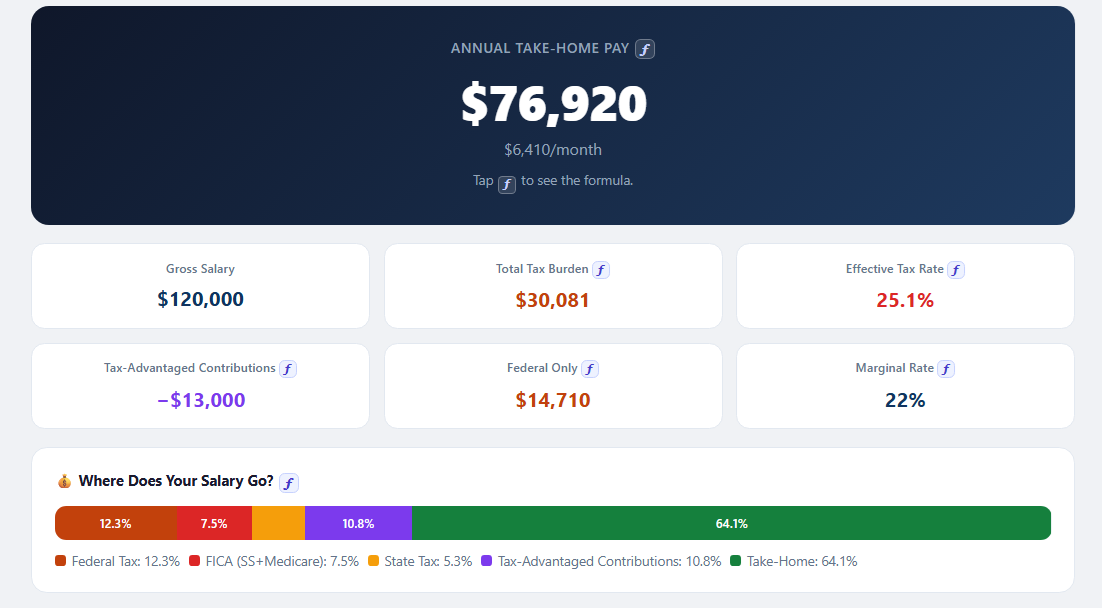
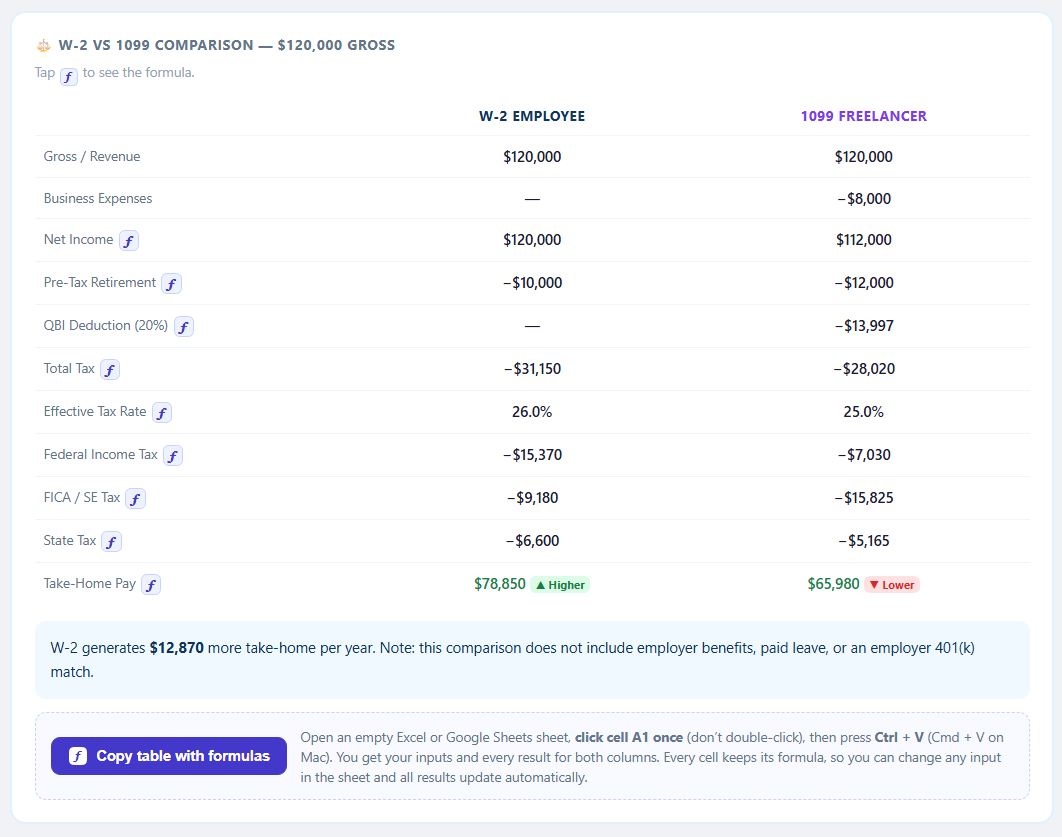
Sample result — $120K salary, single, 6% state tax, $10K 401(k), $3K health premium
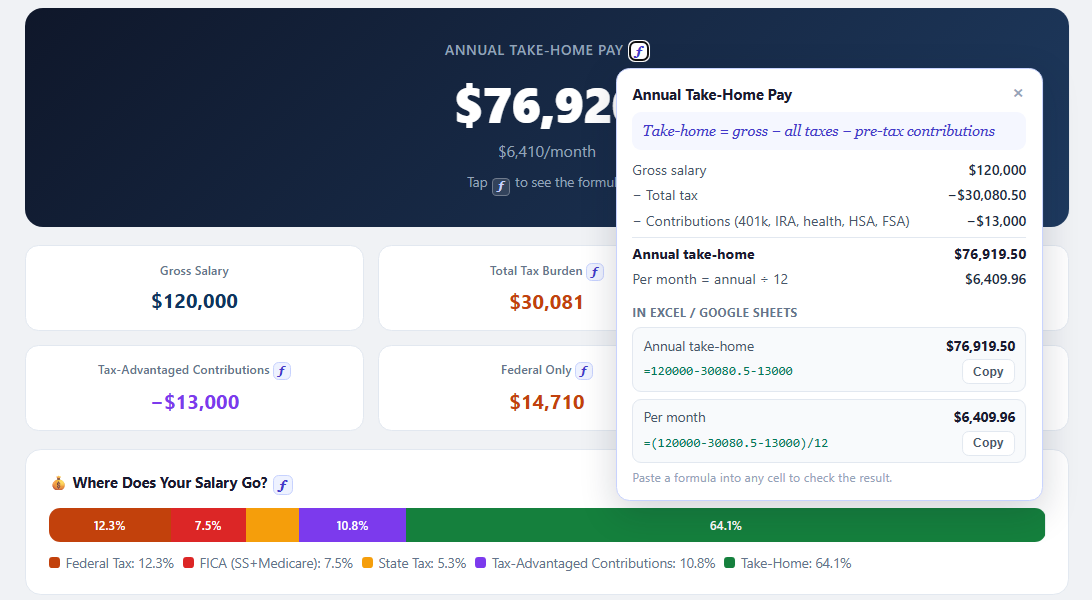
Tap ƒ to see the formula.
📊Also included: the Excel workbook — W-2, 1099 and W-2 vs 1099 sheets with the full tax breakdown, charts and an income analysis, all as live formulas. Change a blue cell and everything recalculates.
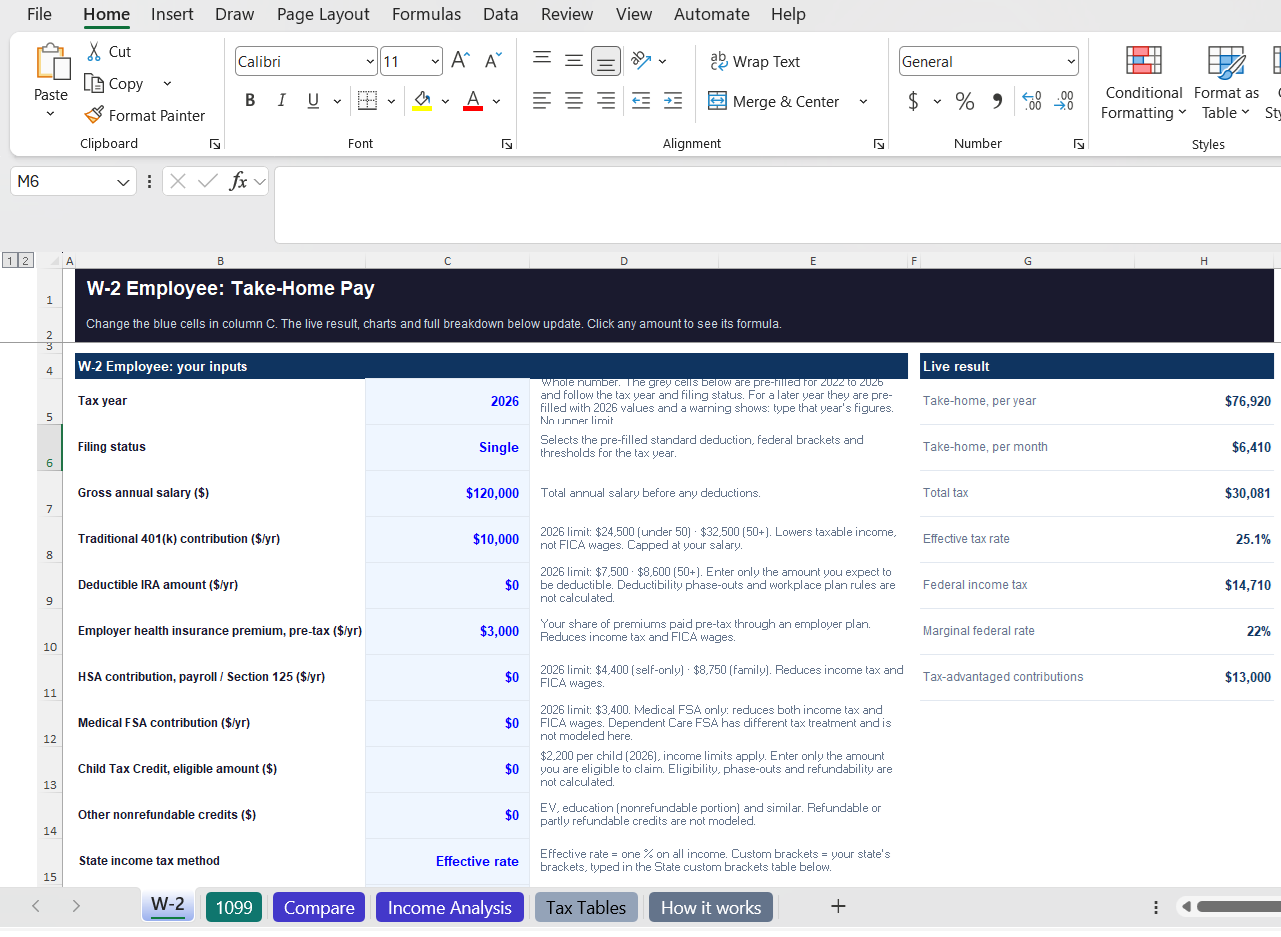
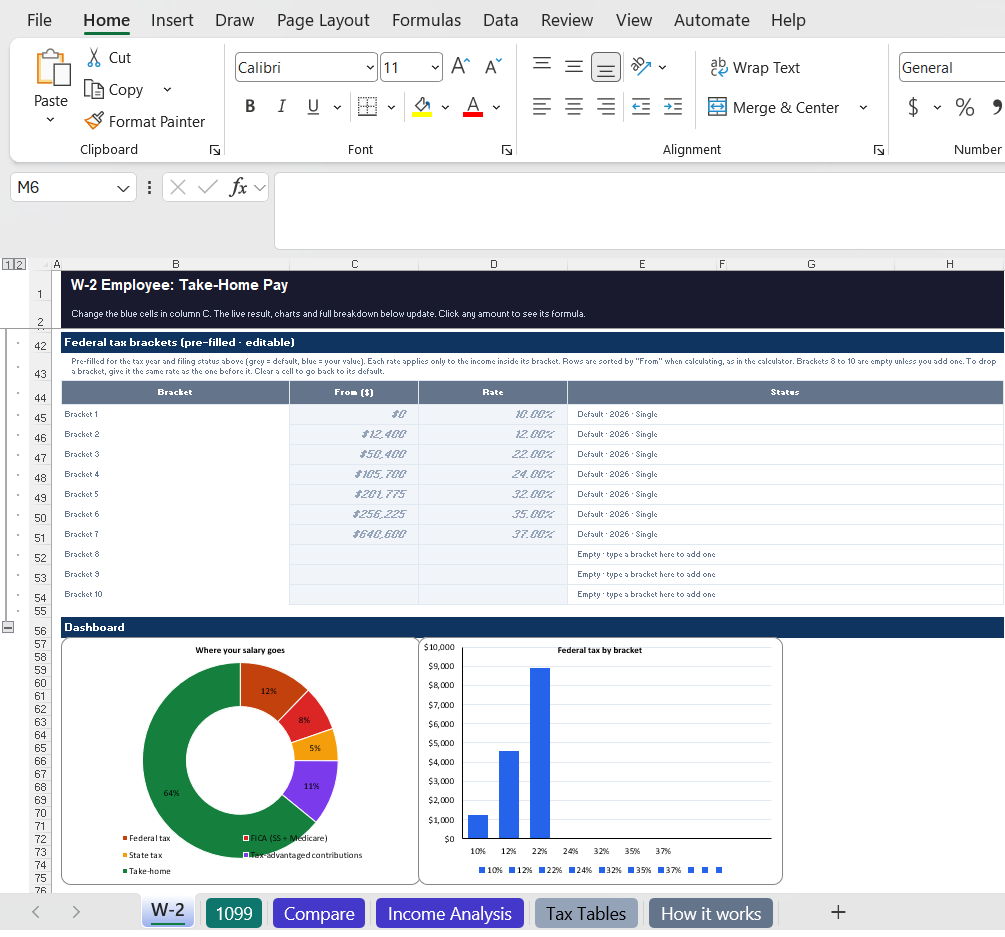
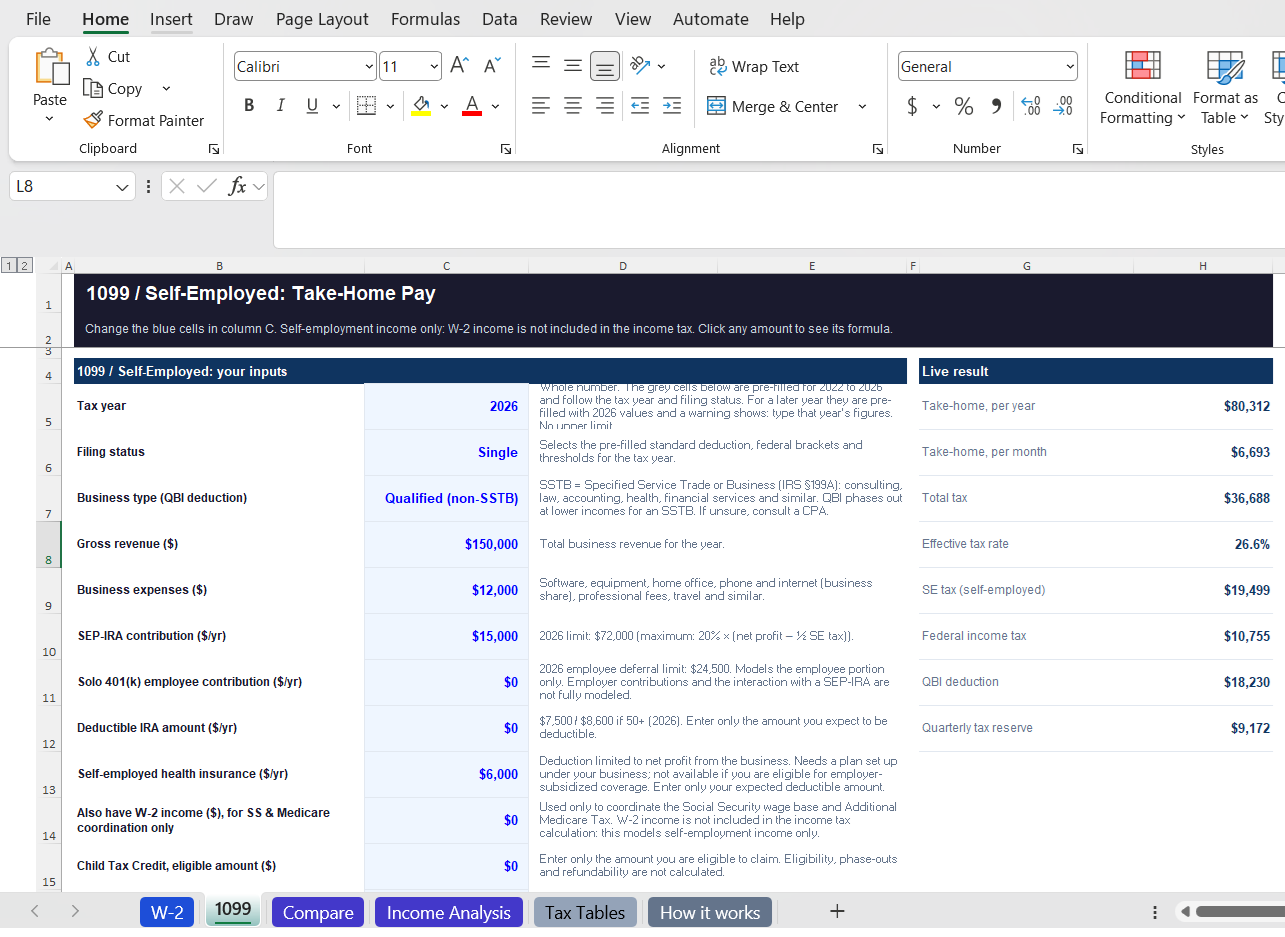
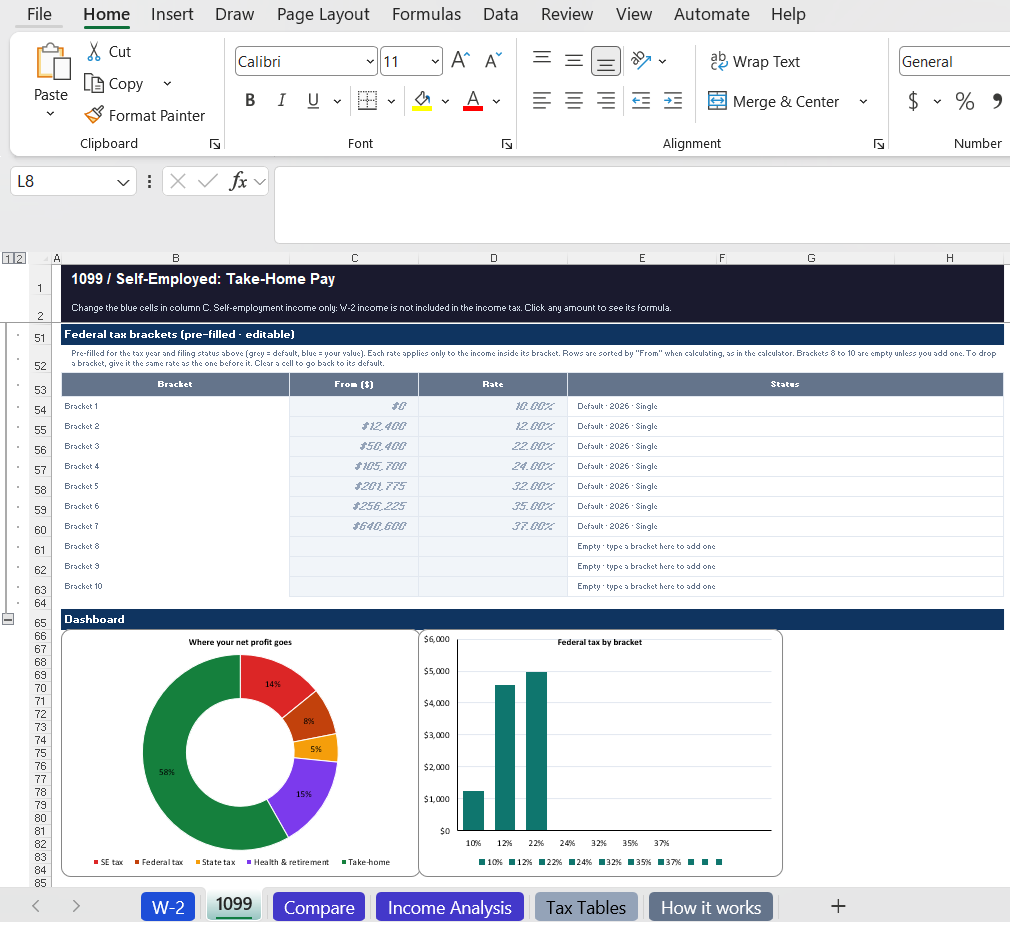
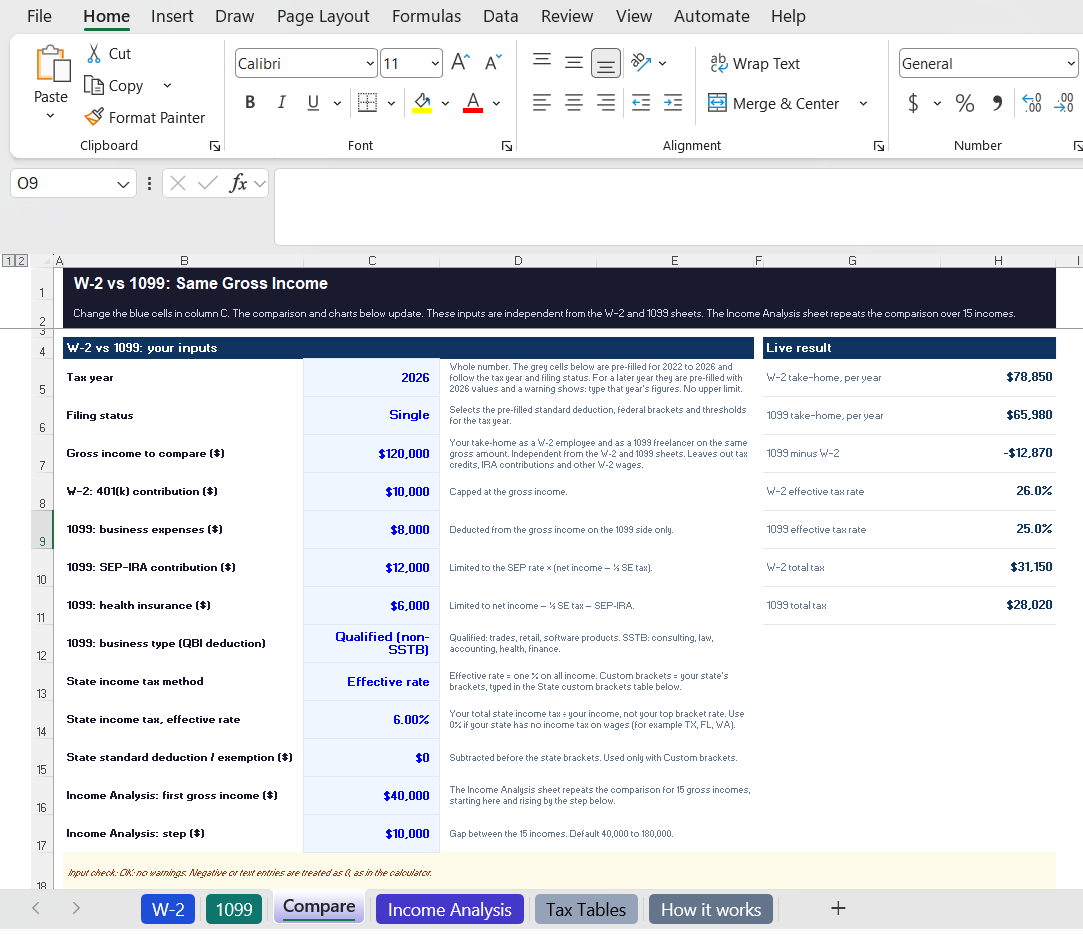
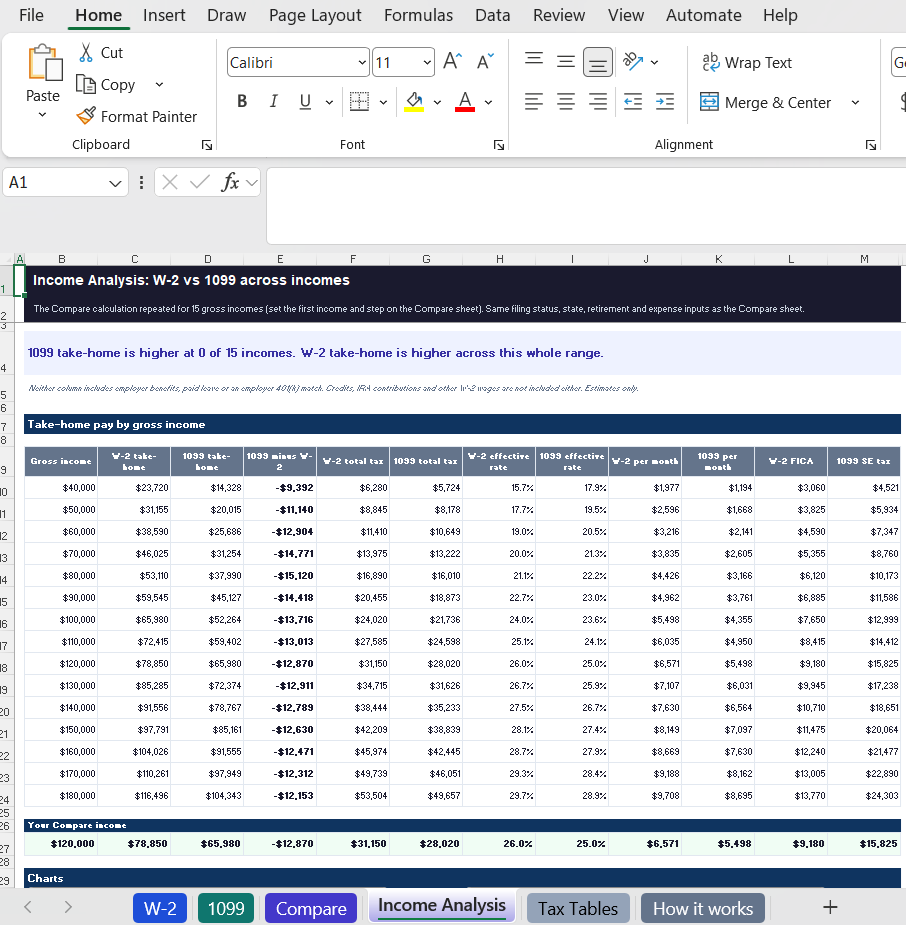
…and more: the full tax breakdown from gross to take-home, quarterly due dates, Income Analysis charts, editable tax tables, plus a built-in "How it works" guide.
Tap a picture to see it full size.
See your estimated taxes, deductions, and take-home income — for W-2 employees and 1099 freelancers. All of this is in both the web app and the Excel workbook.
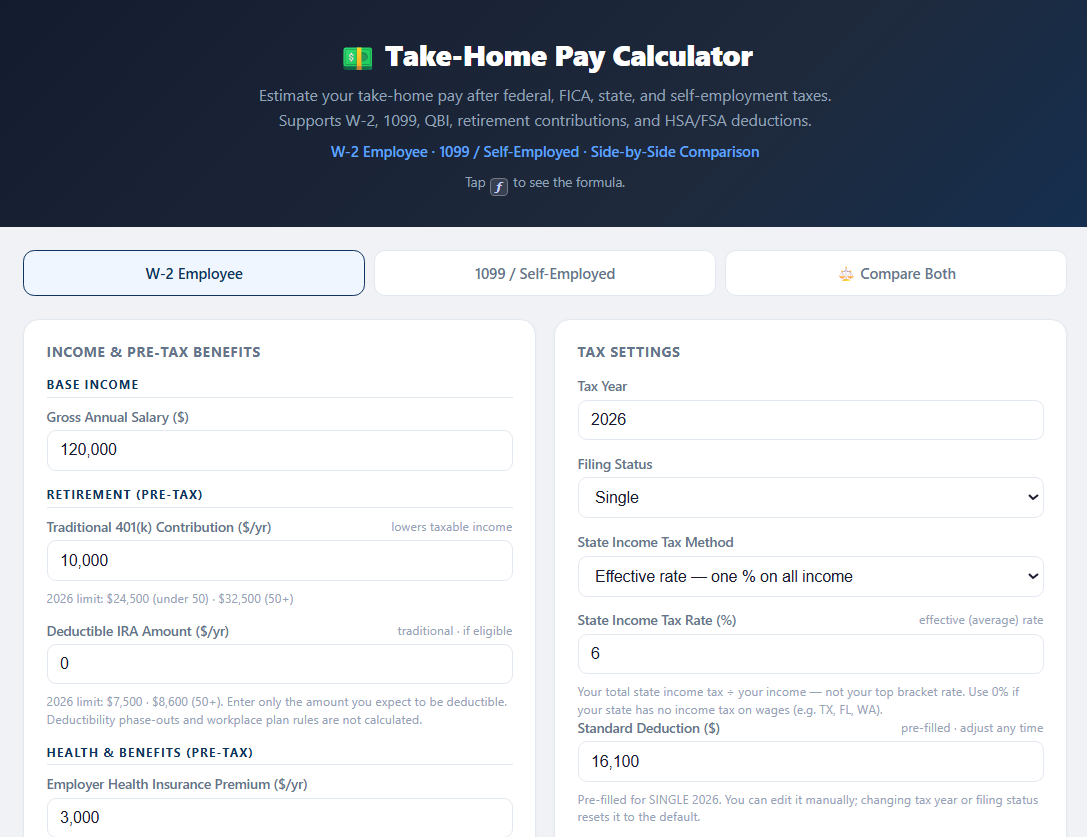
Enter gross salary + pre-tax deductions (401k, IRA, health premium, HSA, FSA) → estimated annual and monthly net pay.
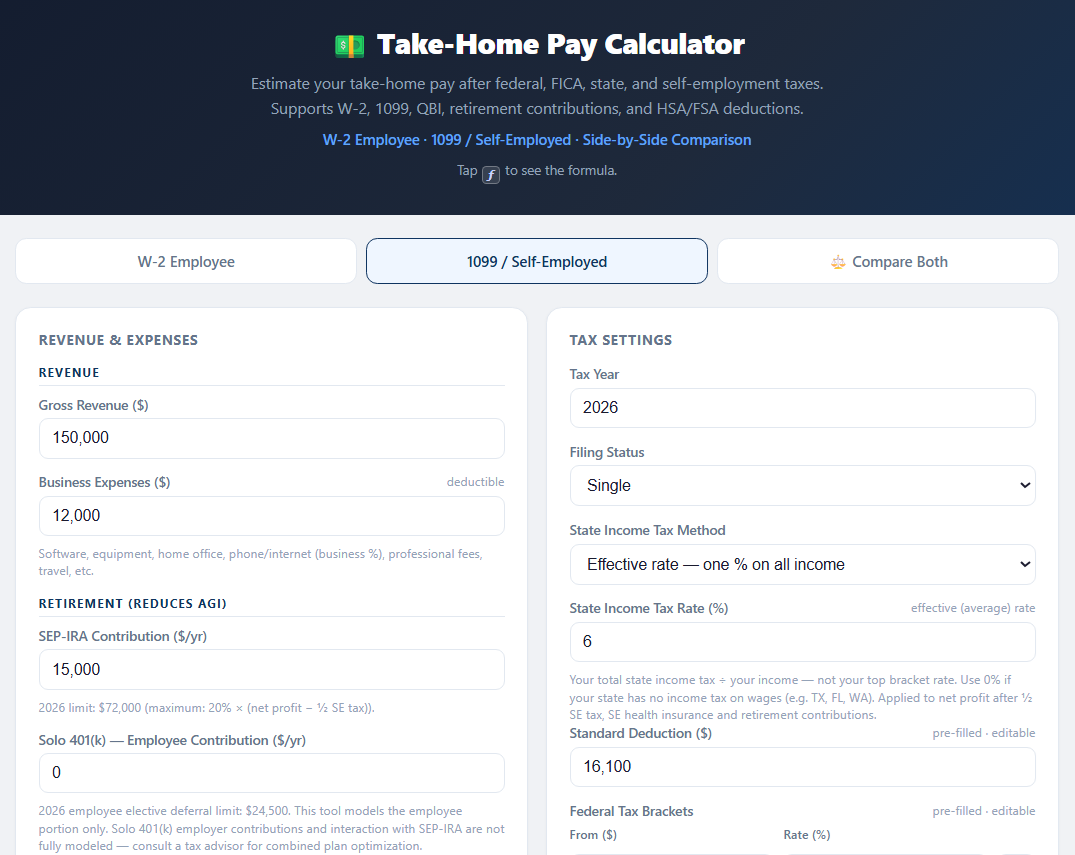
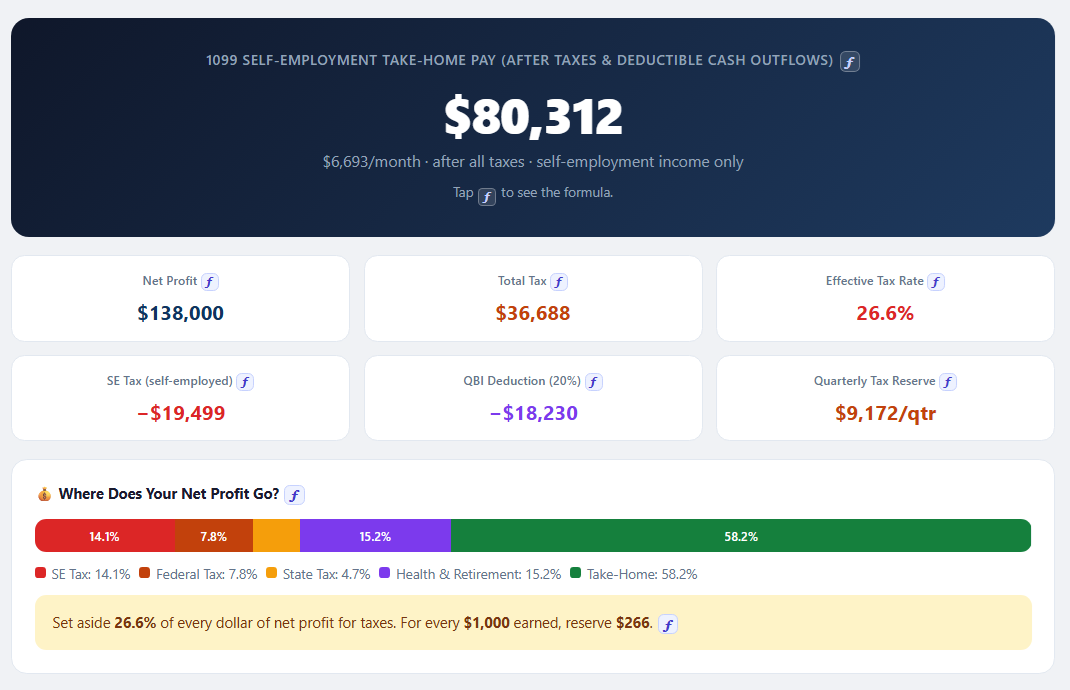
Enter revenue, business expenses, SEP-IRA → estimated net pay with SE tax and QBI deduction (§199A).
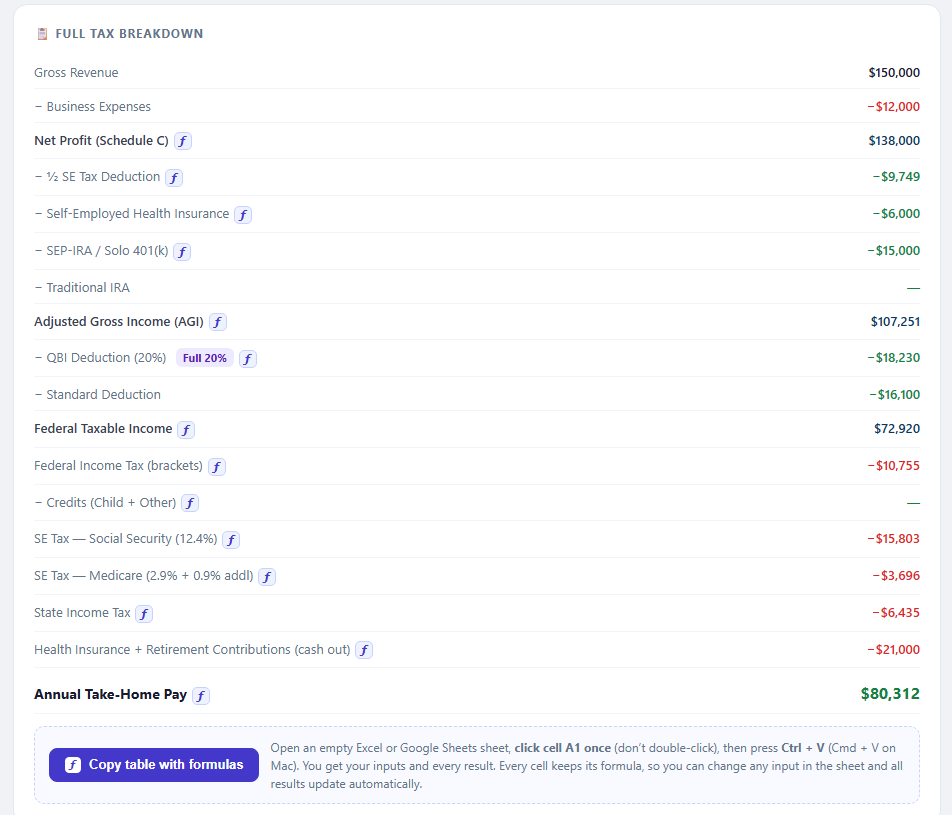
Every line from gross to take-home — federal income tax, Social Security, Medicare, additional Medicare and state tax.
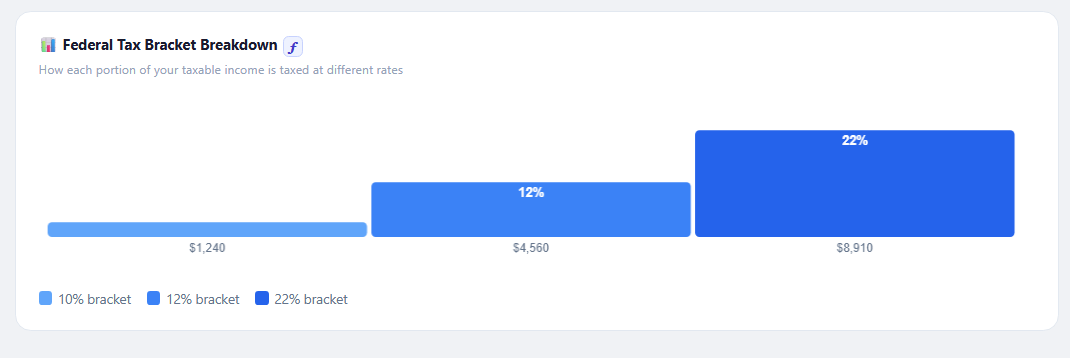
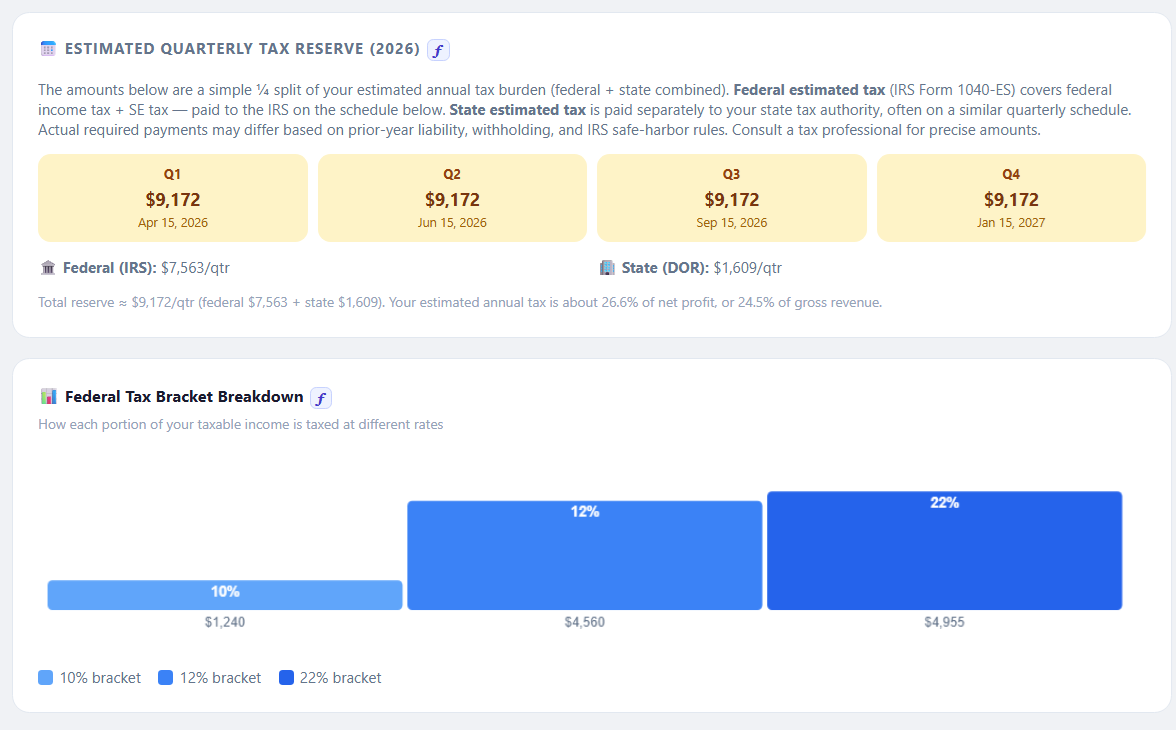
Bar chart showing how much tax falls in each bracket (10%, 12%, 22%...) for your income level.
Compare estimated take-home for the same gross income as a W-2 employee vs a 1099 freelancer.
Estimated Q1–Q4 payment amounts to help self-employed filers set aside taxes throughout the year.
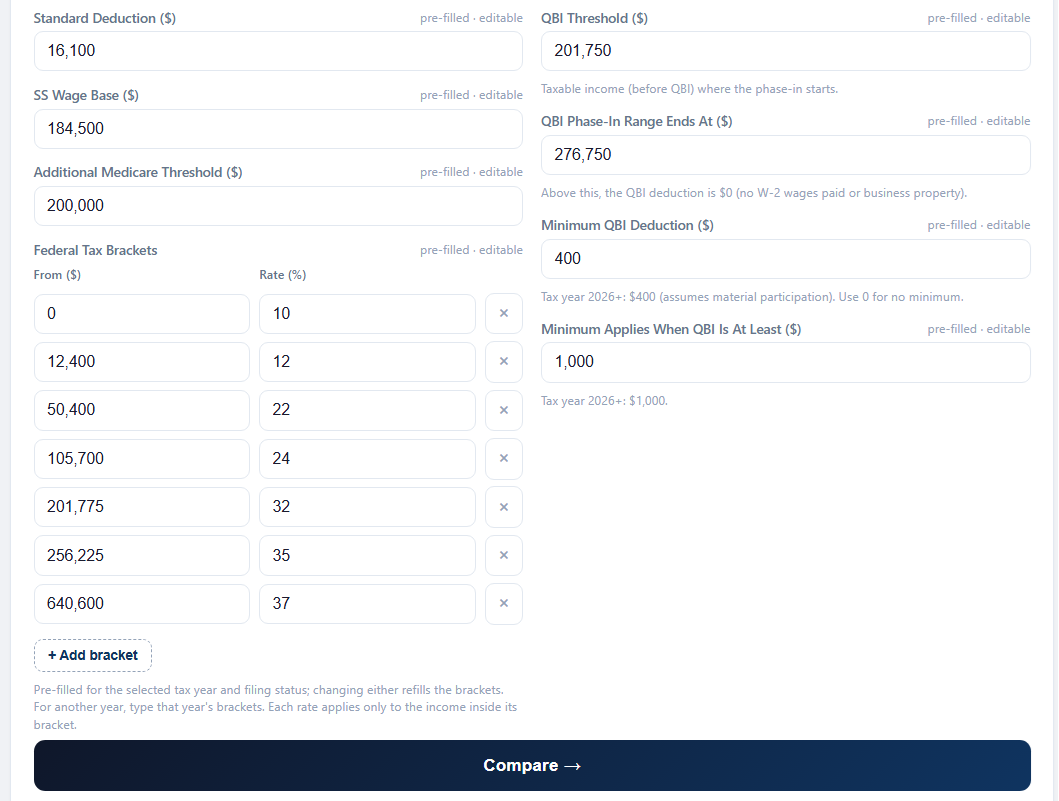
Adjust each input to your own situation — your state, filing status, deductions and tax year — and see how each scenario plays out. The same inputs are already laid out in both versions — nothing to set up.
Both versions start with typical values already filled in — type over any of them, and check how each result is worked out.
Tax year, federal brackets, standard deduction, state tax, Social Security wage base, payroll tax rates — type over any starting value, including a new year's official figures.
Tap ƒ next to a result, a table column or a chart line to see how it's calculated, step by step.
Paste the full tax breakdown into Excel or Google Sheets as a live table that recalculates when you change an input.
Salary, revenue, contributions, state tax — and the pre-filled brackets, deductions and rates, including a new year's official figures.
Every result is a live formula — click an amount and the formula shows in the formula bar.
Change or extend any formula. The "How it works" sheet explains each part and the assumptions behind it.
Buy once and use both versions as often as you like — run every scenario you need.
Open your link in any browser and start right away.
Install once on your phone or computer, then use it anywhere — even with no internet.
Keep each scenario separately — current job vs a new offer, with or without a max 401(k).
Desktop & AndroidSend a scenario to your partner or advisor.
The .xlsx is yours to keep — open it any time, no internet needed.
Save a copy for each case — current job vs a new offer, with or without a max 401(k) — and compare them side by side.
Microsoft Excel, Google Sheets or LibreOffice.
🔒 No account, no subscription — your data stays on your device.
Enter your income and tax details to see an estimated take-home pay breakdown.
🔒 Secure checkout via Gumroad · Card or PayPal · Instant download
Need more than one? Get all 5 calculators for $39.99 →